 Sideline
Download for Mac
Sideline
Download for Mac
Shoot the game. Plug in the card.
By the time you reach the parking lot, every photo is edited, tagged by player and ready to AirDrop. Sideline is a photo editor for Mac, built for people who shoot sports.
Made for a Saturday tournament, not a studio.
Hundreds of frames, two rosters, and a line of parents who want their kid's photos tonight. Sideline is built around that.
-
Fast because it's native
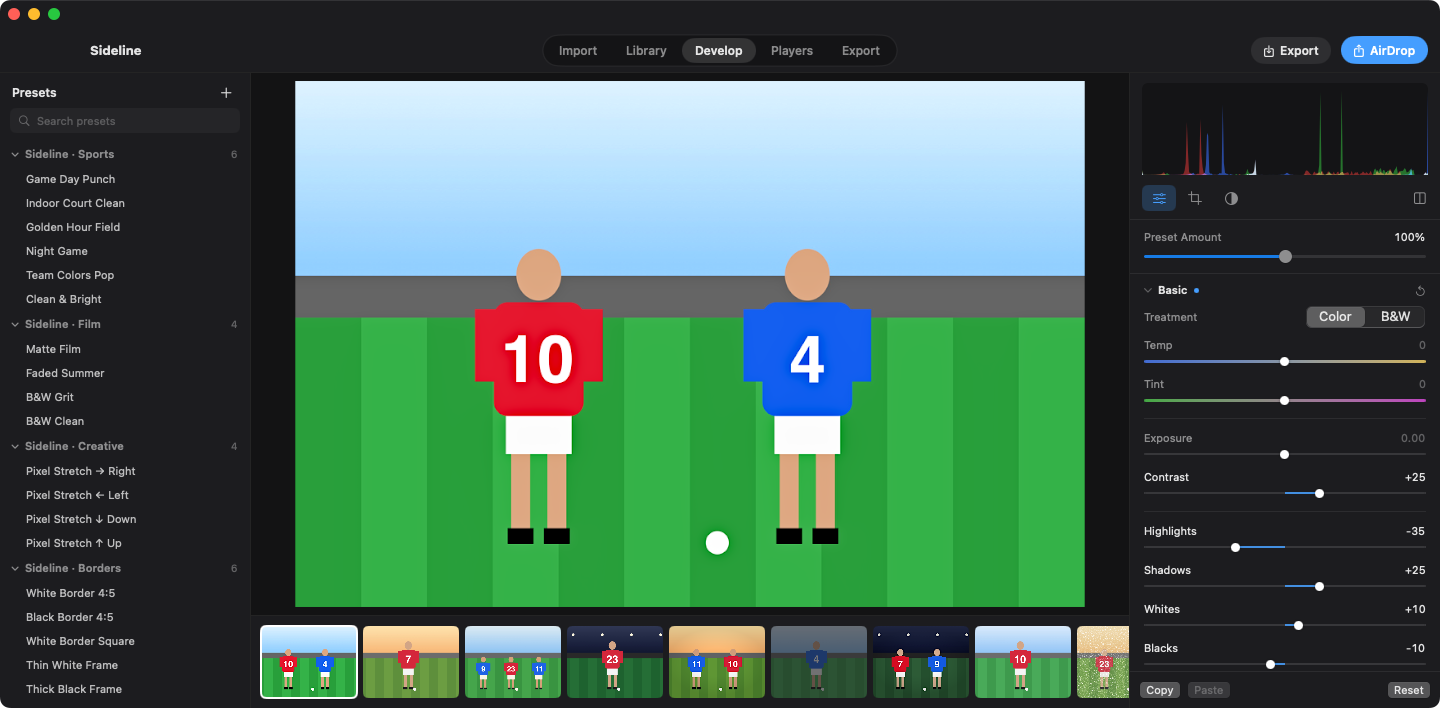
Sideline is written with Apple's own frameworks, not a web app in a wrapper. RAW files open instantly from the preview your camera already embedded in them. Every color and tone edit is combined into one GPU pass, so the photo moves when the slider moves.
- Swift
- Metal
- Neural Engine
-
Your Lightroom presets already work
Sideline reads .xmp and .lrtemplate presets and finds your Lightroom preset folders on its own. Edits are saved in sidecar files that Lightroom can read, so you can go back any time.
- .xmp
- .lrtemplate
- XMP sidecars
-
It knows who's in every photo
On-device AI finds each player, reads the jersey or bib number and matches it to your roster. Name a number once and every photo of that number is tagged. Jersey color tells two #10s apart, and when a number is turned away, nearby frames and the player's hair, skin tone and kit fill in the name.
- Jersey numbers
- Race bibs
- Your roster
-
Built for getting photos to people
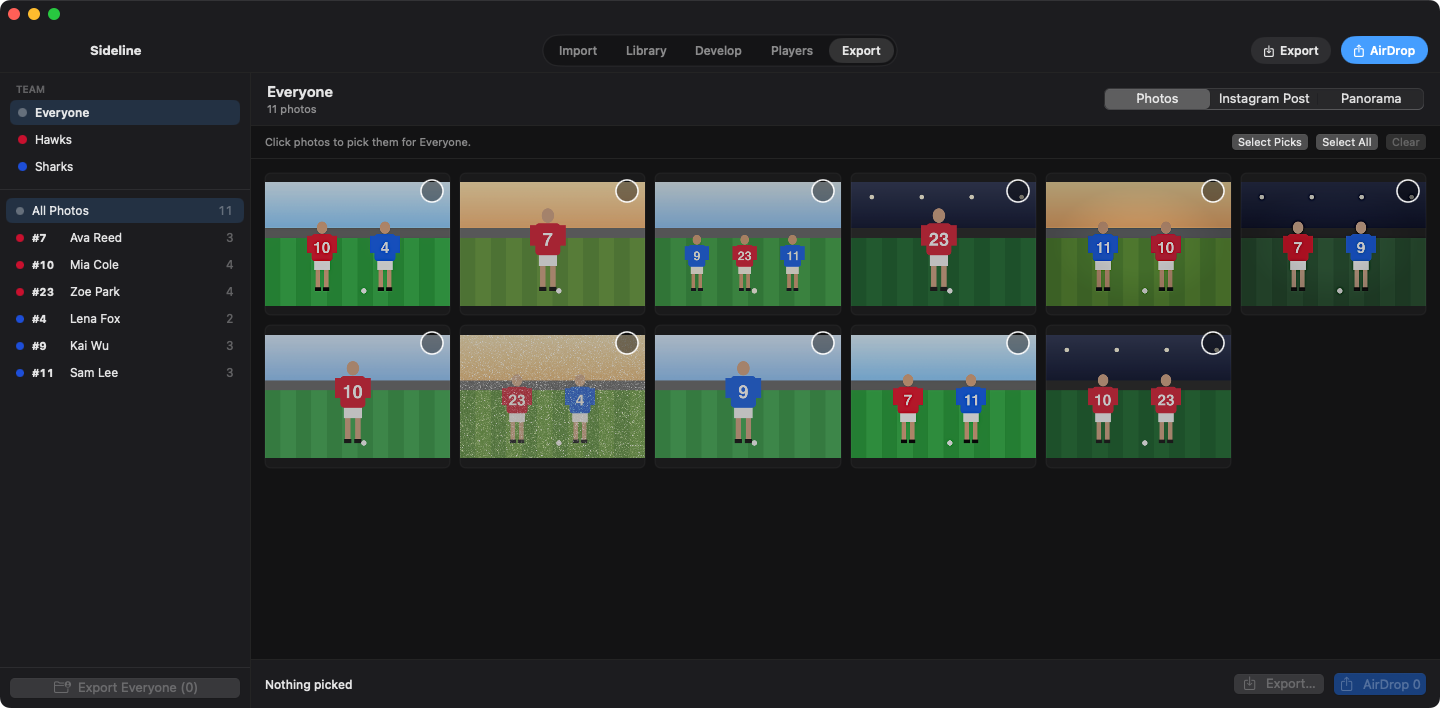
One click AirDrops phone-ready JPEGs. Instagram carousels come out with slides that line up exactly. Every player gets a page where you pick their photos and send or export them.
- AirDrop
- Per-player folders
A game day, start to finish.
Five steps from the memory card to a parent's phone. Most of them happen while you're still packing up.
-
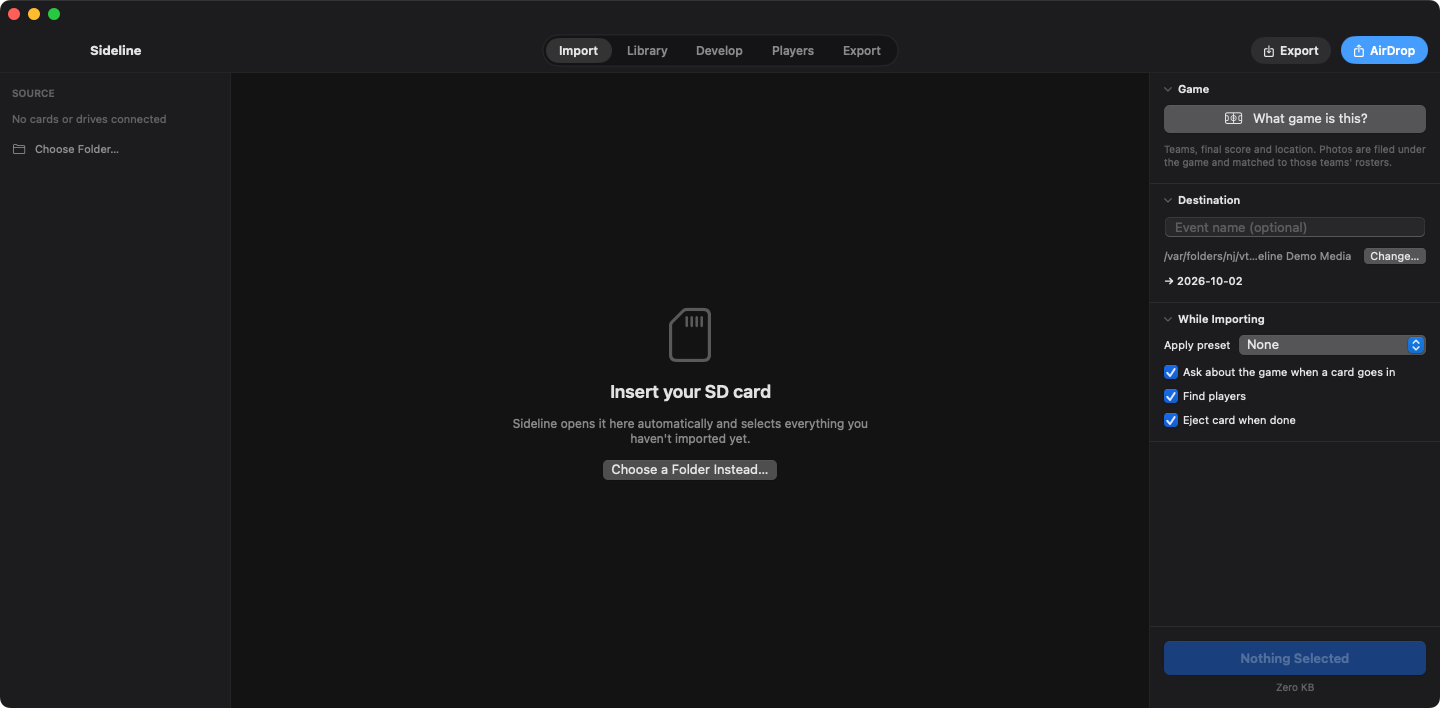
Put the card in. Only new photos are picked.
Sideline opens the card by itself and pre-selects everything you haven't imported yet. No hunting for where you left off last week.
While it copies, it can name the event, apply a preset, find players, set up the game and eject the card when it's done.
-
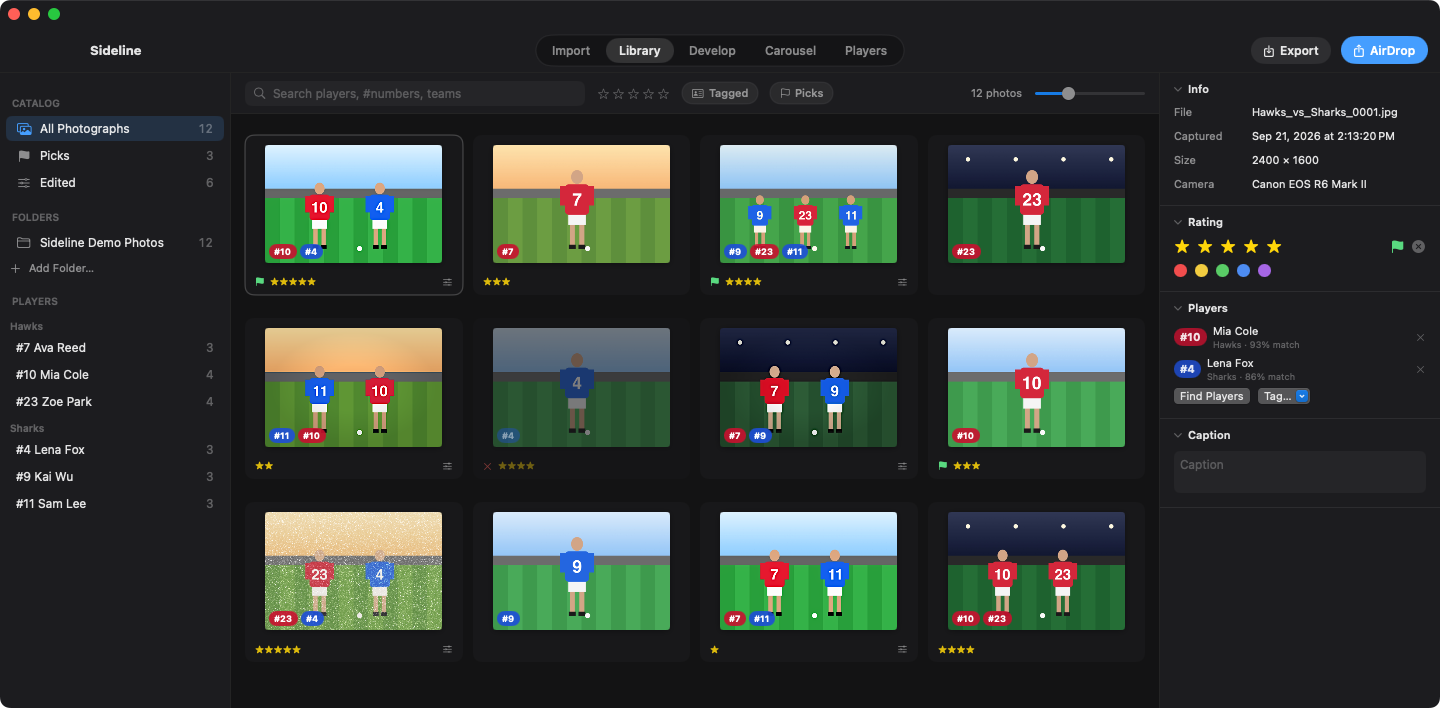
Click Find Players. Check the orange ones.
Every tag shows a close-up of the jersey it was read from, so checking a tag takes a glance. The ones Sideline isn't sure about are outlined in orange. Press T to tag a photo by hand.
-
The controls you know, without the lag.
White balance, exposure, curves, color mixer, color grading, detail, effects and crop, laid out the way Lightroom does it.
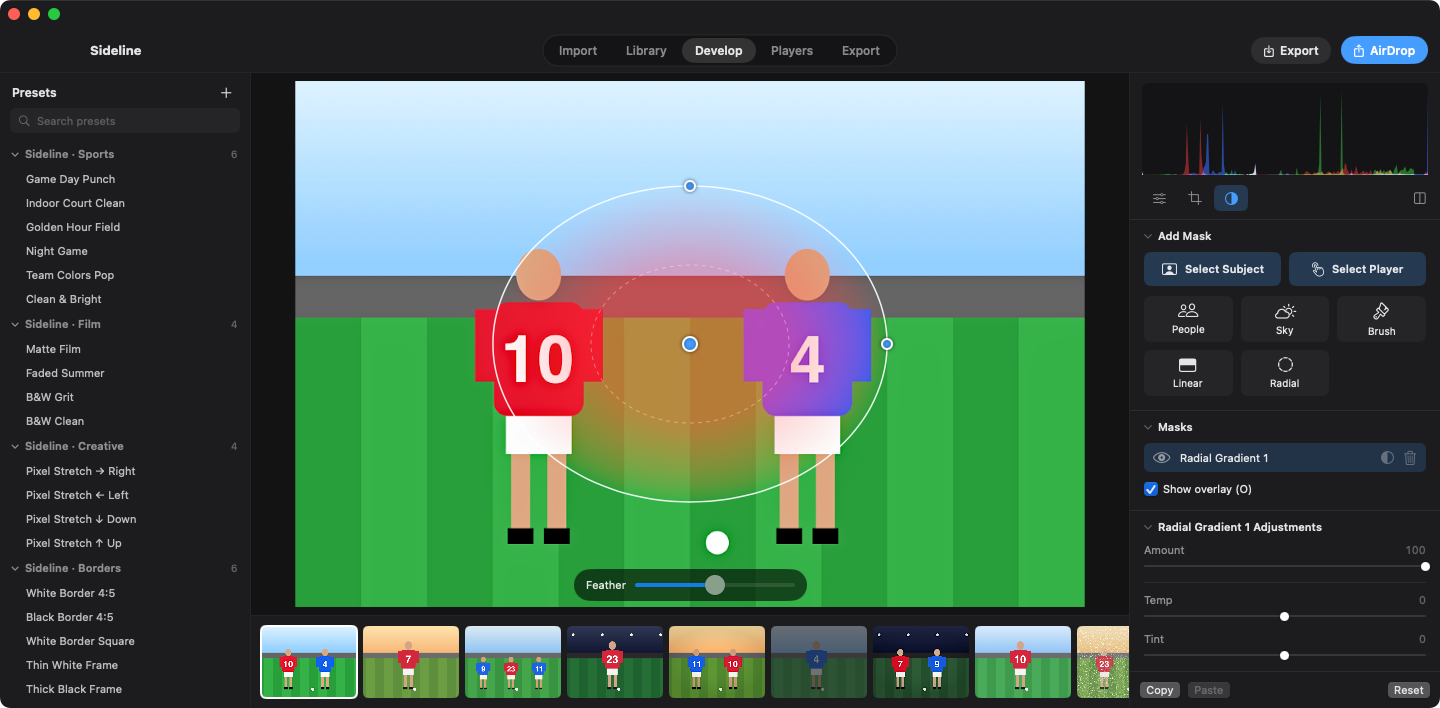
One click masks every subject in the frame, or just the player you click on. Add linear and radial gradients on top.
-
Every game, every team, every kid.
Each game keeps both teams, the final score, the place and the date.
Filter by team, player, number, rating or picks. Sort and group by game, team or player, so "all of #7 from the semifinal" is two clicks.
Hawks 3Sharks 1- Hawks
- #10
- and up
- Picks
- Group by player
Example game and filters, made with Sideline's demo data. -
Hand the photos over before anyone asks twice.
AirDrop phone-ready JPEGs in one click. Build an Instagram post with a live preview, and the caption is copied for you. Carousel slides are cut so they line up exactly when someone swipes.
Each player gets a page where you pick their photos and send or export them. Export file names can be built from player, number, team or score.
Looks that come in the box.
Built-in presets tuned for fields, courts and night games, plus every preset already sitting in your Lightroom folders.
Pixel Stretch
Pick a direction and Sideline smears only the player's pixels, so they streak out behind them while the rest of the frame stays put. Try it on a breakaway or a finish line.
Sports
- Game Day Punch
- Indoor Court Clean
- Golden Hour Field
- Night Game
- Team Colors Pop
- Clean & Bright
Film
- Matte Film
- Faded Summer
- B&W Grit
- B&W Clean
Creative
- Pixel Stretch →
- Pixel Stretch ←
- Pixel Stretch ↓
- Pixel Stretch ↑
Borders
- Instagram 4:5
- Square
- Thin frame
- Thick frame
Every look is a normal preset. Change it, save your own, or ignore them and use yours.
The fine print.
What it runs on, what it opens, and where your photos go. (Nowhere you didn't send them.)
| Requires | macOS 14 Sonoma or newer, on Apple Silicon or Intel |
|---|---|
| Opens | Every RAW format macOS supports CR2 · CR3 · NEF · ARW · RAF · DNG · ORF · RW2, plus JPEG, HEIC and TIFF |
| Exports | JPEG, HEIC, 16-bit TIFF or PNG |
| Metadata | Player keywords and captions written into IPTC, so they travel with the file |
| Presets | Reads .xmp and .lrtemplate, and finds Lightroom's preset folders automatically |
| Edits | Saved in sidecar files Lightroom can read |
| Privacy | Everything runs on your Mac. No cloud uploads, no account. |
| Your catalog | Autosaves continuously, keeps a backup of the last good catalog, and never overwrites a catalog it can't read |
Straight answers.
Including the things it doesn't do yet.
Will my presets look exactly like they do in Lightroom?
Very close, but not pixel-identical. Sideline renders with its own engine, so a preset can come out slightly different from Lightroom's version. If one is off for your taste, adjust it and save it as your own.
Is there anything in a preset that doesn't come across?
Two things. Lightroom camera profiles (.dcp files) aren't imported, and brush masks saved inside a preset are skipped.
Can I go back to Lightroom later?
Yes. Edits are written to sidecar files that Lightroom reads, so you're not locked in.
Two players on the field have the same number. Now what?
Sideline uses jersey color to tell them apart. Set each team's jersey color (and an alternate) on the roster, and a red #10 and a blue #10 are tagged as different people.
What happens when the number is hidden?
Sideline looks at nearby frames and at the player's appearance (hair, skin tone and kit) to fill in the name. If it still isn't sure, the tag is outlined in orange for you to check, and T tags by hand.
Does it upload my photos anywhere?
No. Player detection, number reading and masks all run on your Mac. There's no cloud step and no account to create.
How good are the AI masks?
Subject and player masks follow the people in the frame. Sky masks are approximate, so check the edges on a busy skyline or through trees before you export.
What do I need to run it?
A Mac with macOS 14 Sonoma or newer. Apple Silicon and Intel are both supported.